
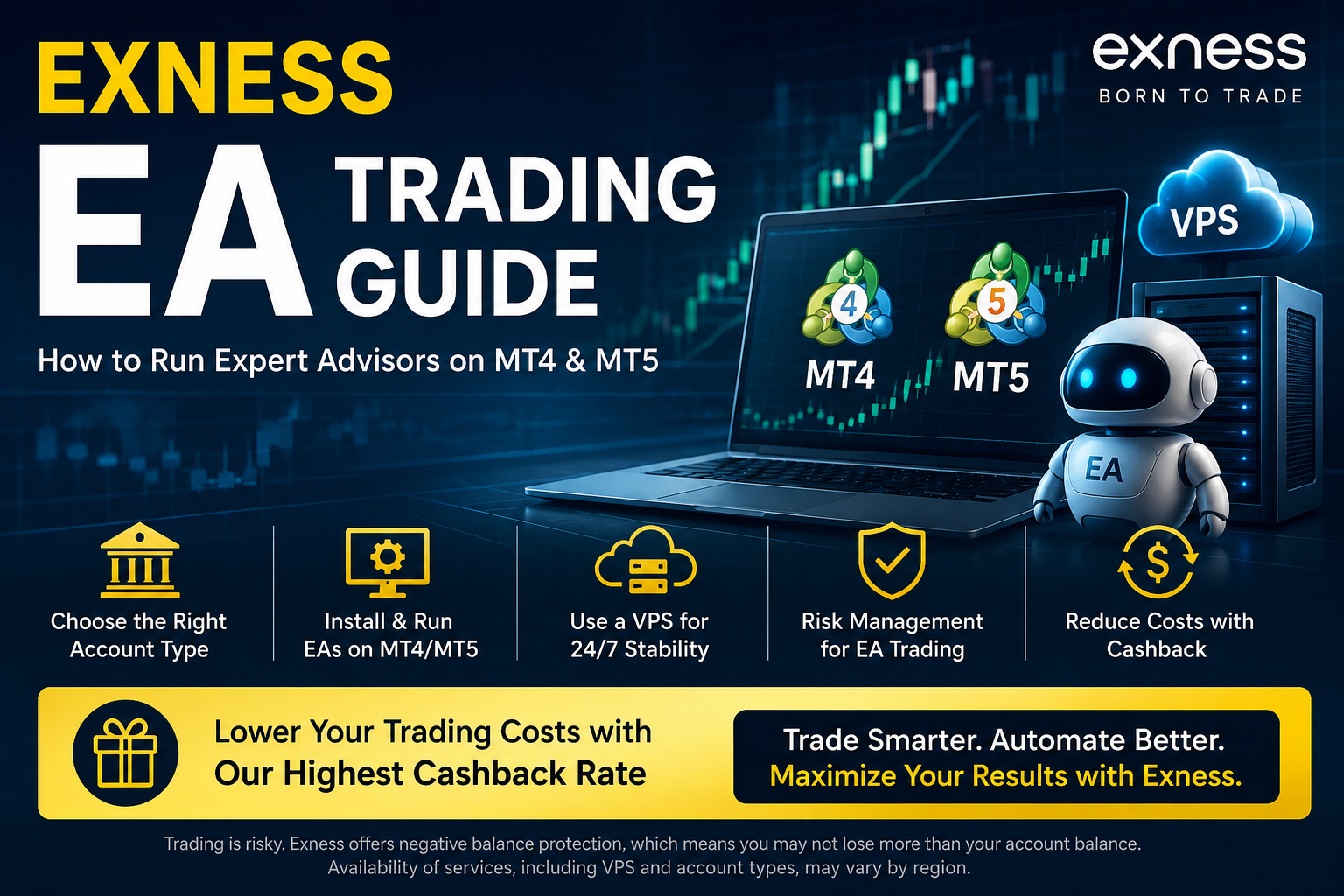
If you want to run an Expert Advisor (EA) with Exness, you may be wondering which account type to choose, whether MT4 or MT5 is better for your strategy, and whether you need a VPS.
When running an EA, performance is influenced by much more than the strategy itself. Spreads, trading commissions, execution method, network latency, lot sizing, and maximum drawdown can all affect real-world results. Even an EA that performs well in backtests may deliver very different results if the live trading environment does not match the assumptions used during testing.
This guide explains the essentials of running EAs with Exness, including how to choose an account type, install an EA on MT4 or MT5, use a VPS for 24/7 operation, manage risk, perform realistic backtests, and monitor your EA after going live.
In addition, accounts opened through our dedicated Exness partner link may be eligible for our highest available cashback rate on qualifying trading volume. This can help reduce effective trading costs without changing the EA’s strategy or trading logic, which can be especially useful for scalping and other high-frequency strategies.
What You Will Learn in This Guide
- Why Exness can be suitable for automated trading
- How to choose an Exness account type for your EA
- How to install an EA on MT4 or MT5
- How to run an EA 24/7 using a VPS
- How to manage risk before and after going live
- How cashback may reduce effective trading costs
Can You Use Expert Advisors with Exness?
Yes. Exness supports Expert Advisors on MetaTrader 4 (MT4) and MetaTrader 5 (MT5). Both desktop platforms include algorithmic trading functionality, allowing you to install EA files and run automated strategies once algorithmic trading is enabled.
An EA is a program that opens, manages, and closes trades according to predefined rules. It can monitor the market continuously without requiring you to watch charts manually. However, using an EA does not guarantee profits. Market conditions, spread widening, slippage, connectivity issues, and execution differences can all cause live results to deviate from backtests.
MT4 vs MT5 for EA Trading
| Feature | MT4 | MT5 |
|---|---|---|
| EA file format | EX4 / MQ4 | EX5 / MQ5 |
| EA ecosystem | Large library of legacy EAs | Growing library of newer EAs |
| Strategy Tester | Relatively simple | Multi-threaded and supports more advanced testing |
| Built-in timeframes | 9 | 21 |
| Best suited for | Traders using MT4-specific EAs | Traders who want more advanced testing and newer tools |
Your choice will often be determined by the EA itself. An MT4 EA cannot be used directly on MT5, and an MT5 EA cannot be used directly on MT4. If you are developing or testing a new EA and have no platform restriction, MT5 is often the more capable choice because of its more advanced Strategy Tester.
Why Exness Can Be Suitable for EA Trading
Multiple Account Types for Different EA Strategies
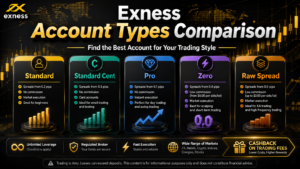
Exness offers Standard and Professional account categories, allowing traders to select an environment based on the EA’s trading frequency, execution requirements, and cost structure.
- Standard Account: no separate trading commission, making trading costs relatively straightforward to understand.
- Raw Spread Account: designed around tight spreads plus a trading commission.
- Zero Account: offers zero spreads on selected instruments for certain periods, which may be attractive for short-term strategies.
- Pro Account: combines relatively low spreads with no separate trading commission; execution conditions may differ by instrument.
The best account depends on the EA. A narrower spread does not automatically mean a lower total cost. For a realistic comparison, evaluate spread + round-turn commission + expected slippage.
Exness VPS Is Available for Eligible Clients
If your EA needs to run 24 hours a day, using a VPS is generally more reliable than leaving a home computer running continuously. A VPS can keep MT4 or MT5 online even when your own computer is switched off, reducing the risk of interruptions caused by local power outages, internet problems, sleep mode, or accidental shutdowns.
Exness provides a free VPS service for eligible clients. Eligibility and ongoing access depend on criteria such as account balance and/or trading volume, and the exact requirements are shown in the Exness Personal Area. Availability may vary by region and account status.
Negative Balance Protection
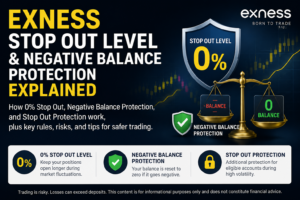
Exness provides negative balance protection. If a stop out causes a trading account balance to become negative, the balance is generally reset to zero according to Exness rules and procedures.
Negative balance protection does not prevent trading losses. You can still lose the funds deposited in your trading account, so an EA should always have appropriate controls for maximum lot size, maximum open positions, margin usage, and loss limits.
Cashback Can Reduce Effective Trading Costs
Many EAs trade more frequently than discretionary traders. Even a small difference in cost per trade can become significant when an EA places hundreds or thousands of trades over time.
Accounts registered through our Exness cashback program may receive cashback based on qualifying trading volume. This can reduce effective trading costs without modifying the EA’s entry or exit logic.
Cashback Matters More for High-Volume EAs
Cashback amounts vary depending on account type, instrument, trading volume, and applicable program conditions. Scalping and high-frequency EAs tend to generate more trading volume, so cashback can have a larger long-term impact on net trading costs.
How to Choose the Best Exness Account Type for Your EA
| EA Type | Accounts to Consider | Key Factors |
|---|---|---|
| Low-frequency day trading EA | Standard / Pro | Balance between spread and commission-free trading |
| Scalping EA | Raw Spread / Zero / Pro | Round-turn commission, execution, slippage |
| Grid / averaging EA | Standard / Pro | Maximum positions, margin requirements, tail risk |
| News trading EA | Compare carefully | Spread widening and execution during major releases |
| Long-term EA | Compare by instrument | Swap and holding costs |
| High-frequency EA | Raw Spread / Zero | Total costs, VPS latency, execution conditions |
When a Standard Account May Be Suitable
A Standard account has no separate trading commission, which makes cost calculations easier. It can be a practical option for lower-frequency EAs or for traders who want to begin forward testing with a small amount of capital.
When Raw Spread or Zero May Be Suitable
For scalping EAs that target small price movements, spreads can have a major impact on performance. Raw Spread and Zero accounts may provide tighter quoted spreads, but trading commissions must also be included in your cost calculations.
When backtesting, always include the appropriate round-turn commission per lot. Ignoring commissions can make a strategy look substantially better in a backtest than it may perform in live trading.
When a Pro Account May Be Suitable
The Pro account combines relatively low spreads with no separate trading commission. Depending on the instrument and execution type, order handling may differ from market-execution accounts.
If your EA assumes a specific execution model, check its compatibility carefully. Slippage tolerance, retry logic, requote handling, and maximum deviation settings can all change real-world behavior.
How to Start Running an EA with Exness
1. Open an Exness Account Through Our Partner Link
Start by creating an Exness Personal Area through our dedicated partner link. Eligible accounts opened through our link may participate in our cashback program and receive our highest available cashback rate on qualifying trades.
If you already have an Exness account, an existing trading account may not always be eligible to be retroactively linked to a cashback arrangement. Check our latest eligibility and account-linking instructions before opening or adding a new trading account.
2. Complete Account Verification
Complete the verification steps shown in your Exness Personal Area. Depending on your country and account status, this may include profile information, proof of identity, proof of residence, and other compliance requirements.
3. Create an MT4 or MT5 Trading Account
From the Personal Area, create an MT4 or MT5 trading account that matches your EA. At this stage, select the account type, account currency, leverage settings, and trading password available to you.
Because the account type cannot normally be changed after the trading account has been created, review your EA’s cost and execution requirements before making your selection.
4. Install MT4 or MT5
Download the appropriate trading platform from Exness or access it through your Personal Area. After installation, log in using your trading account number, trading password, and assigned server.
5. Install the EA File
- Launch MT4 or MT5.
- Select File → Open Data Folder.
- Open the MQL4 or MQL5 folder.
- Place the EA file in the Experts folder.
- Restart MT4/MT5 or refresh the Navigator panel.
- Drag the EA from Navigator onto the relevant chart.
MT4 EAs and MT5 EAs are not directly interchangeable. Make sure the EA file format matches the platform you are using.
6. Enable Algorithmic Trading
Allow automated trading in the EA settings and enable AutoTrading in MT4 or Algo Trading in MT5. If the EA requires DLL imports or WebRequest access, follow the developer’s setup instructions carefully.
Allowing DLL access to an EA from an unknown source can create a security risk. Only install and authorize EAs from sources you trust.
7. Test on Demo or with a Small Lot Size First
Do not begin with a large live allocation. Start with a demo account or close to the minimum practical lot size and confirm that the EA behaves as expected.
- Does it trade in the expected direction?
- Is the lot size correct?
- Are stop-loss and take-profit orders set correctly?
- Does it manage multiple positions correctly?
- Does it handle the account currency and broker symbol names correctly?
- Does it avoid unintended orders around weekends or major economic releases?
How to Run an EA 24/7 Using a VPS
If MT4 or MT5 is closed, the EA stops running. For strategies that need continuous operation, a VPS is commonly used to keep the trading terminal and EA online around the clock.
Basic VPS Setup
- Subscribe to a VPS or apply for Exness VPS if eligible.
- Connect to the VPS using Remote Desktop.
- Install MT4 or MT5 on the VPS.
- Log in to your trading account.
- Install the EA, indicators, and preset files.
- Attach the EA to the chart and enable algorithmic trading.
- Disconnect from Remote Desktop while leaving the VPS session running.
Do not confuse disconnecting from Remote Desktop with signing out of Windows. Signing out may close your applications depending on the VPS configuration, while simply closing the Remote Desktop window normally leaves the VPS session running.
What to Look for in a VPS
- Latency to the Exness trading server
- CPU and RAM capacity
- Number of MT4/MT5 terminals running simultaneously
- Number of charts and EAs in use
- Automatic restart and backup options
- Recovery behavior after Windows updates or maintenance
Running multiple MetaTrader terminals or computationally heavy EAs can create CPU and memory bottlenecks. Leave sufficient system resources so order processing is not delayed by an overloaded VPS.
Backtesting Before Running an EA Live
Before using an EA on a live account, test it against historical market data using the Strategy Tester. Do not judge an EA only by total profit or Profit Factor.
Key Backtest Metrics
- Maximum drawdown: how much the account declined during the test.
- Profit Factor: gross profit divided by gross loss.
- Number of trades: whether the sample size is large enough to be meaningful.
- Maximum losing streak: whether your capital can tolerate extended periods of losses.
- Average win and average loss: whether the strategy’s edge is large enough to absorb spreads and commissions.
- Recovery Factor: how efficiently returns compensate for drawdown.
Use Realistic Trading Costs
Your backtest should use spreads, commissions, swaps, and slippage assumptions that are reasonably close to the live account you plan to use. This is especially important for EAs targeting only a few pips or less, where small cost changes can have a major effect on results.
An EA that has been optimized only for one historical period may fail when market conditions change. Use out-of-sample testing, walk-forward-style validation where appropriate, and parameter robustness checks to see whether performance collapses when settings are changed slightly.
Risk Management for EA Trading with Exness
Do Not Blindly Trust a Recommended Lot Size
The lot size recommended by an EA developer or seller may not match your account balance, risk tolerance, leverage, or trading conditions. Adjust position sizing based on your own capital and the EA’s expected maximum drawdown.
Avoid Concentrating All Capital in One EA
Running several EAs does not automatically create diversification. If they all trade the same instrument in the same direction, your portfolio may still be highly concentrated. Consider diversifying across instruments, timeframes, strategy types, holding periods, and market regimes.
Be Especially Careful with Grid and Martingale EAs
Grid, averaging-down, and martingale-style EAs may show a high win rate during normal conditions while still carrying the risk of very large losses during sustained one-directional moves.
- Limit the maximum number of open positions.
- Set a maximum lot size.
- Define an account-level loss limit.
- Consider pausing the EA before major news events or the weekend.
- Monitor risk using equity and margin, not only floating P/L.
Do Not Use High Leverage as a Reason to Increase Lot Size
Higher leverage can reduce margin requirements, but it does not reduce the loss caused by an adverse price move. A large position still creates a large P/L swing even if the required margin appears small.
Use leverage cautiously to maintain adequate free margin rather than simply to increase exposure.
What to Monitor After Your EA Goes Live
| Frequency | What to Check |
|---|---|
| Daily | EA status, server connection, abnormal orders, margin level |
| Weekly | Trade history, slippage, spreads, unexpected losing streaks |
| Monthly | Monthly P/L, maximum drawdown, cashback, whether settings need adjustment |
| During extreme volatility | Whether the EA should be paused, position concentration, VPS/server status |
| After an EA update | Change log, preset compatibility, retesting, backups |
An EA should not be treated as a “set and forget” system. Market behavior changes, and a strategy that worked well in the past can lose its edge. Compare live results with expected backtest behavior and reduce risk or stop the EA when deviations become significant.
Common EA Trading Mistakes
Funding a Large Live Account Based Only on Demo Results
Demo and live accounts can differ in execution, slippage, liquidity conditions, and trader behavior. Even after successful demo testing, start live trading with a small lot size and scale gradually.
Letting Compound Position Sizing Increase Risk Too Quickly
Dynamic lot sizing based on account balance can accelerate growth during profitable periods, but it can also increase the size of losses after the position size has expanded. Even when using compounding, set a maximum lot size or risk cap.
Ignoring Commissions in Backtests
Backtests for Raw Spread or Zero-style accounts can look unrealistically strong if commissions are excluded. The more frequently an EA trades, the larger the impact of even small per-trade cost assumptions.
Using the Same Magic Number for Multiple EAs
If multiple EAs run on the same account, duplicate magic numbers can cause one EA to modify or close positions opened by another EA. Use a unique magic number for each EA and, where appropriate, for each symbol or strategy instance.
EA Stops After a VPS Restart
Windows updates or VPS maintenance can restart the server and leave MT4/MT5 closed. Configure automatic login and application startup where appropriate, and check the EA regularly to confirm that trading has resumed correctly.
Exness EA Trading and Cashback
To retain more of an EA’s gross trading performance, you need to manage transaction costs as well as win rate and average trade size. For short-term EAs in particular, spreads and commissions can represent a significant share of the strategy’s expected edge.
When you open an eligible Exness account through our dedicated partner link, you may receive our highest available cashback rate on qualifying trading volume under the terms of our cashback program.
- Use the same Exness trading platforms available for the selected account type.
- No need to change the EA’s strategy or entry logic.
- Receive cashback on qualifying trading volume.
- Potentially reduce effective costs for scalping and high-frequency EAs.
Cashback rates, eligible instruments, eligible account types, minimum holding requirements, and other conditions may change. Availability can also depend on your country of residence. Always check the latest program terms before opening or funding an account.
Related guide: How to Open an Exness Cashback Account
Frequently Asked Questions About Exness EAs
Does Exness Allow Expert Advisors?
Exness supports Expert Advisors through the desktop versions of MT4 and MT5. However, this does not mean every possible automated trading technique is permitted without restriction. Your EA should comply with the applicable Client Agreement, trading conditions, and other rules that apply to your account and jurisdiction.
Can I Run an EA Only from My Smartphone?
Generally, no. Expert Advisors run on the desktop versions of MT4 and MT5, not on the standard mobile or web terminals. To keep an EA running continuously, use a Windows computer or a VPS. You can still use the mobile app to monitor your account and open positions.
Will My EA Keep Running If I Turn Off My Computer?
If the EA is running only on your local computer, it will stop when MT4/MT5 or the computer is shut down. If the EA is running on a VPS, it can continue operating even when your own computer is turned off.
Can I Use an MT4 EA on MT5?
Not directly. MT4 and MT5 use different programming languages and platform architectures. An MT4 EA is designed for MT4, while an MT5 EA is designed for MT5. If you have the source code, a developer may be able to port the strategy to the other platform.
What Leverage Is Best for an EA?
There is no single leverage level that is suitable for every EA. Required margin depends on the maximum number of positions, stop-loss distance, grid spacing, maximum lot size, and instrument volatility. Focus first on position sizing and whether your capital can withstand the EA’s expected drawdown.
Can EA Trades Receive Cashback?
EA trades may qualify for cashback when the account is eligible under our cashback program and the trades meet the applicable conditions. Some transactions may be excluded, and conditions such as minimum holding time may apply. Check the latest cashback terms before trading.
Conclusion
Exness supports EA trading through MT4 and MT5, and its range of account types and VPS options can make it suitable for many automated strategies. The most important step is to match the account environment to the EA’s actual cost, execution, and risk requirements.
- Choose MT4 or MT5 based on the EA’s compatibility.
- Compare total trading costs, not spreads alone.
- Backtest and forward test before committing significant capital.
- Use a VPS for strategies that need 24/7 operation.
- Set lot size based on maximum acceptable drawdown.
- Use strict risk limits for grid, averaging, and martingale systems.
- Use cashback, where eligible, to reduce effective trading costs.
Long-term survival matters more than short-term profits. Start on demo or with a small live allocation, monitor real execution and trading costs, and scale only after the EA behaves as expected under real market conditions.
Reduce EA Trading Costs with Exness Cashback
Open an eligible Exness account through our partner link and receive our highest available cashback rate on qualifying trades. For high-volume EAs, reducing effective transaction costs can make a meaningful difference over time.
Risk Warning: Forex and CFD trading involves a high risk of loss. You may lose all funds deposited in your trading account. Past performance, including EA backtests and historical results, does not guarantee future performance. Trading conditions, leverage, VPS availability, cashback eligibility, and product availability may vary depending on your country of residence, account type, and applicable Exness entity. Exness services are not available in all jurisdictions. Always review the official Exness website, applicable legal documents, and the latest cashback program terms before opening an account or trading. This article is for informational purposes only and does not constitute investment advice.



Comments